 Longhaul
Setup guide
The app walks you through these steps on first launch and ticks off the ones it can check. This page is the same guide, for reference.
- Install Apple's Command Line Tools. Longhaul uses git, which comes with them. Click Install in the app and follow Apple's dialog; you do not need Xcode.
- Install Codex. The app shows the Terminal command for your Mac, for example
brew install codex. - Sign in to Codex with your ChatGPT account. Your browser opens for it.
- Sign in to Longhaul with the email of your Longhaul account. We email you a 6-digit code; there is no password.
- Sign in to ChatGPT inside the app. Signing in with Google does not work inside apps: if your OpenAI account uses Google, first add a password to it in your usual browser (ChatGPT, Settings, Security).
- Create or add your first project: a folder on your Mac with your code.
- Add Longhaul to ChatGPT (below).
- Choose how Longhaul writes to ChatGPT: send automatically, or fill in the text and let you press Enter.
- Allow notifications, so Longhaul can tell you when a task needs you.
- Link a chat to your project, and describe the work in it.
Add Longhaul to ChatGPT
You do this once. Sign in to Longhaul and add a project first: ChatGPT lists Longhaul's tools when you add it, and that needs both. The server address is:
https://app.uselonghaul.com/mcp
Then, in ChatGPT on the left:
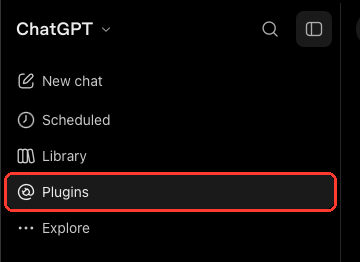
- Open Plugins in the sidebar (in some versions: Apps or Connectors).
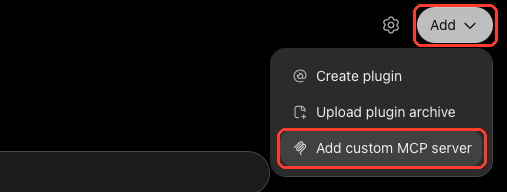
- Click Add at the top right, then Add custom MCP server.
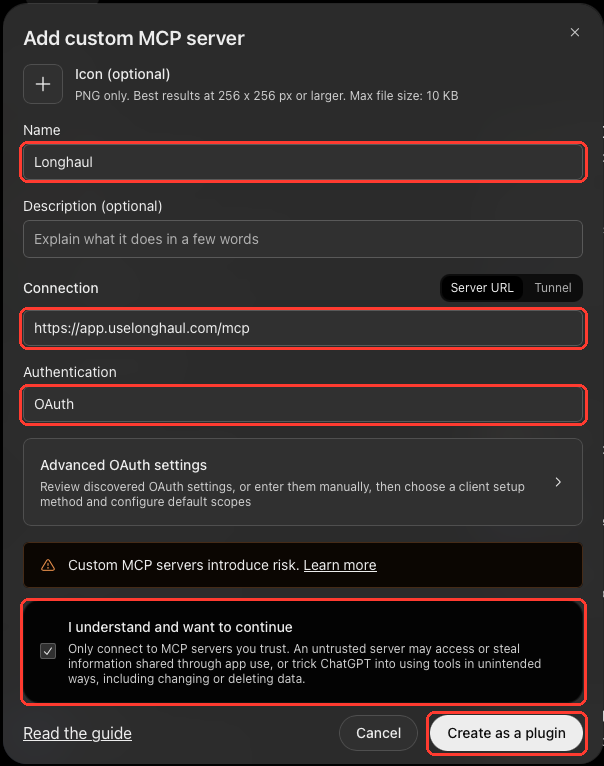
- Name: Longhaul. Connection: keep Server URL selected and paste the address above. Authentication: OAuth. Tick “I understand and want to continue”, then click Create as a plugin.
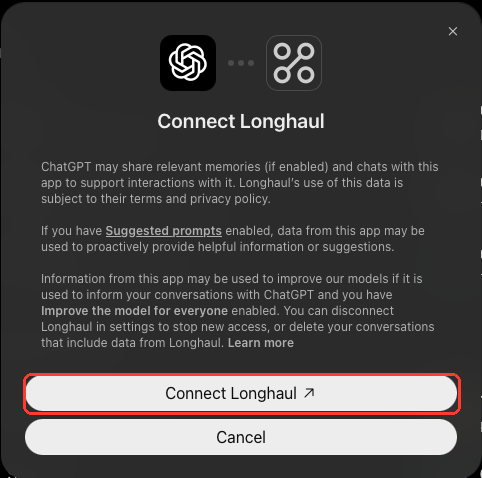
- Click Connect Longhaul.
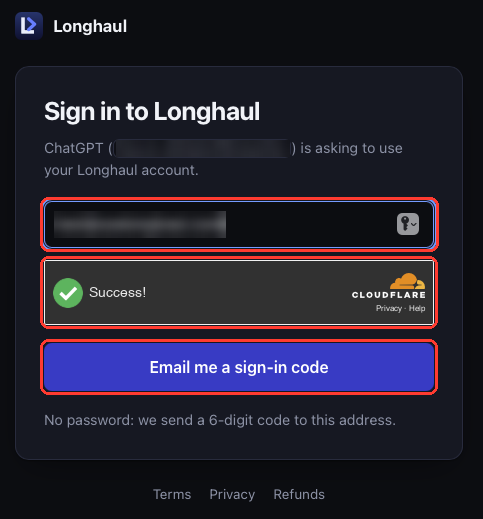
- If asked to sign in, enter your Longhaul email, wait for the Cloudflare check to show Success, and click Email me a sign-in code.
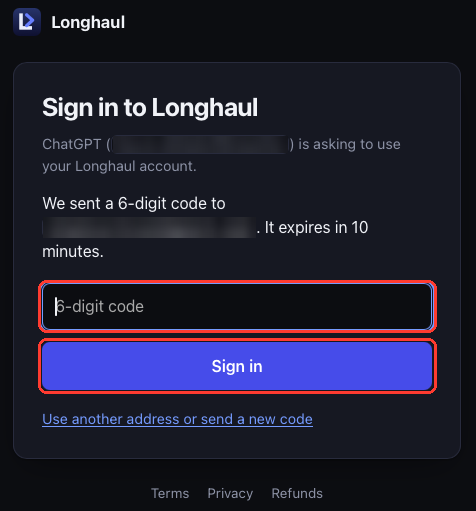
- Enter the 6-digit code from the email and click Sign in.
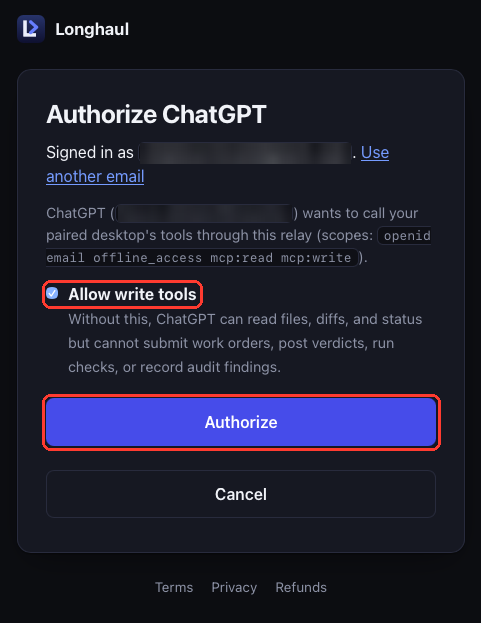
- Check that it shows your Longhaul email, tick Allow write tools, and click Authorize.
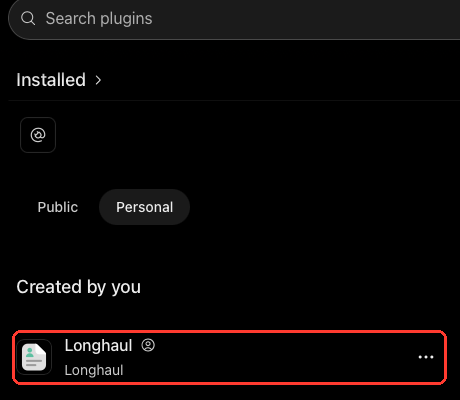
- Longhaul now shows in Plugins, under Personal.
Work with Longhaul in a regular chat, not Work mode: Work mode uses your Codex allowance.
A ChatGPT account connects to one Longhaul account, on every Mac where you use it. If you added Longhaul to this ChatGPT account before with another email, remove it in ChatGPT and add it again. If ChatGPT says “An app with this name already exists”, Longhaul was added to it before: remove the old one under Plugins (or in the workspace it was added to), then add it again.
Help
Stuck on a step? Write to support@uselonghaul.com and say which step, with a screenshot if you can.